UXO720 - Week 8 - Visual Design
This week I focused on reviewing my rough wireframes across the six principles of design and then adding some basic visual design elements based on what I learned this week.
The main challenge was reviewing these very basic screens and trying to look from an objective standpoint across the six main principles of design. I found that one of the design items were either difficult to reflect on, because they were absent, or the wireframe level was not detailed enough to include them. The principle that I felt didn't match the wireframes was: Similarity and Contrast.
As I understand it, I could start to sketch out and map out similar objects, but on the visual side, contrast is challenging to see with how I designed my wireframes. Right now the wireframes are mostly blocked elements, with no detailed areas.
One area I noticed when translating these wireframes to the visual designs was that while I wireframed out a homepage, I didn't wireframe a product catalog page. Based on the original user flow, a user would need to go into a product catalog with a grid listing of products. From there they could get more details on the specific product or compare product features. When wireframing this out, I left off that page, trying to keep things simple. But now I needed to go back and add in that functionality.
Visual Design
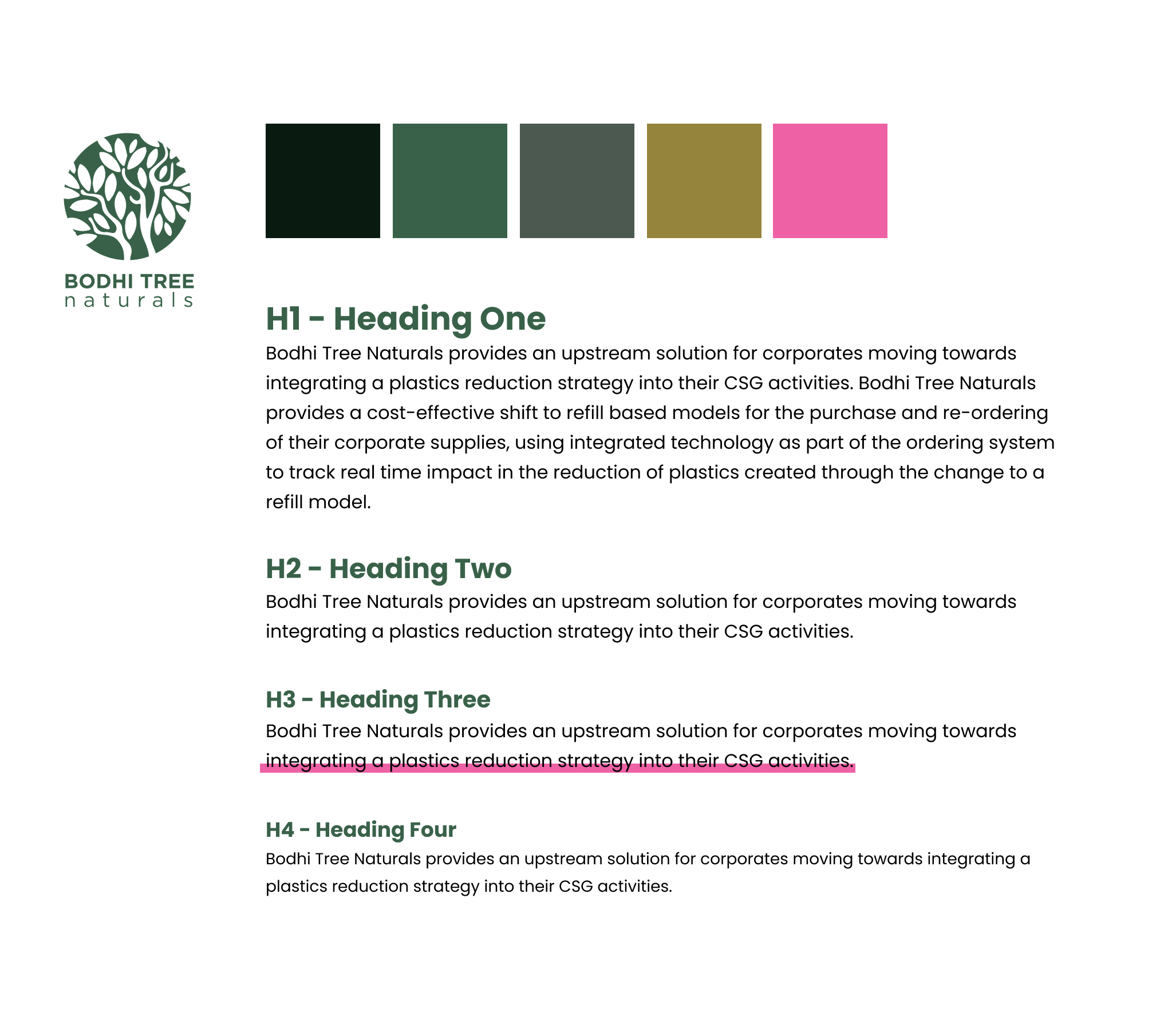
Colors and typography selected for the MIV Project
Colors
I had a slight advantage when selecting a color pallet for this project. MIV has come up with a brand mark and primary color for their product line: Bodhi Tree Naturals. The primary color is a forest green shade that reflects nature. Using this as a base for the color, I went to and setup a pallete that would reflect the natural and organic nature of the brand.
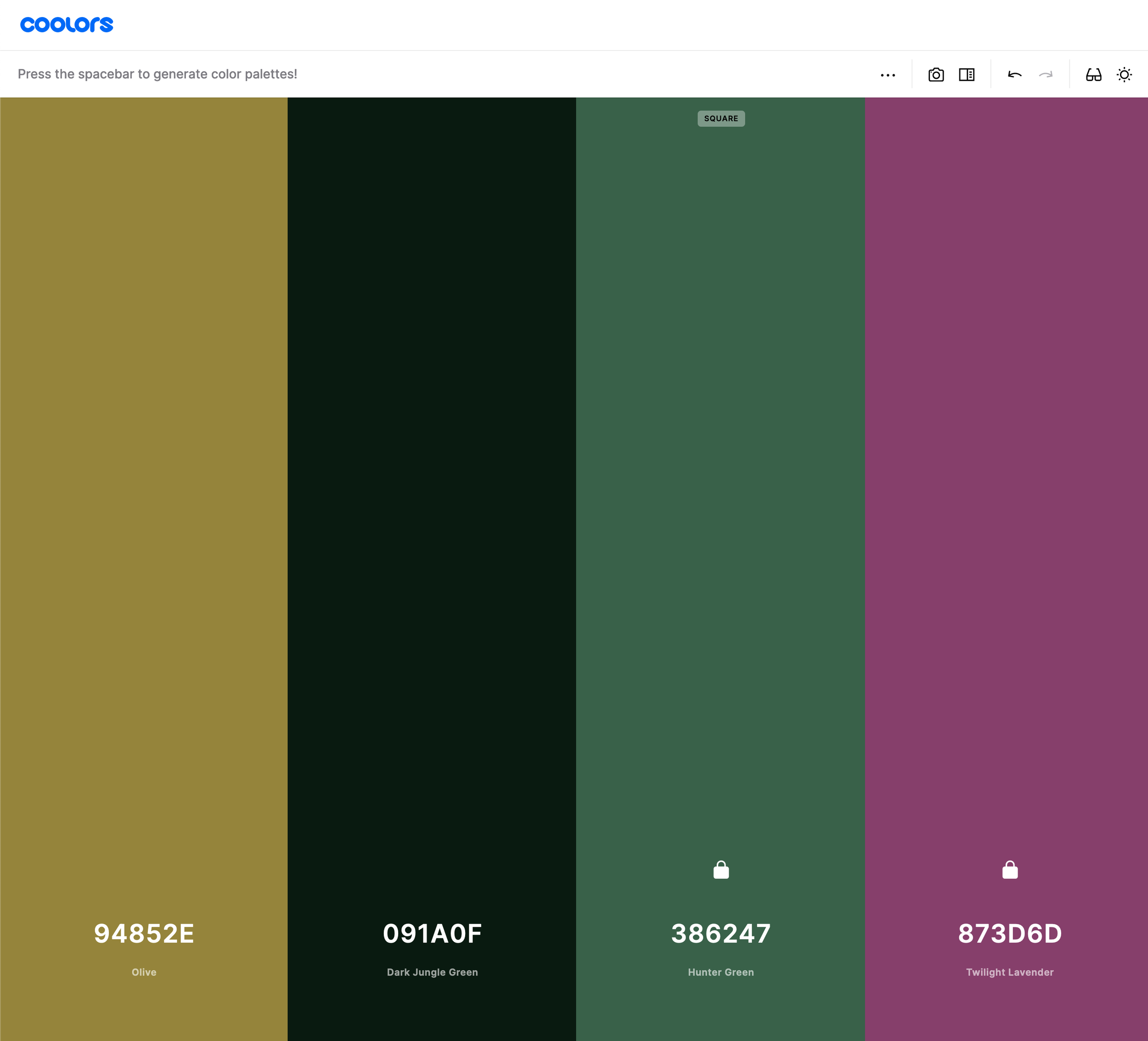
-
Olive: a naturally organic gold-like color, that reflects both the natural beauty of Cambodia as well as the official gold colors of the ancient Angkor Kingdom.
-
Dark Jungle Green: a dark, almost black, color used for type
-
Hunter Green: the primary brand color
-
Twilight Lavender: a nice cool hue that is used for highlight or secondary items, also includes links
Typography
For the typography I went with a san-serif font that reflected the modern look of the brand mark. For this project we are going to use Poppins Bold and Regular typefaces. Simple, clean, and organic feeling will help reflect the brand goals.
Visual Design Elements - Product Page
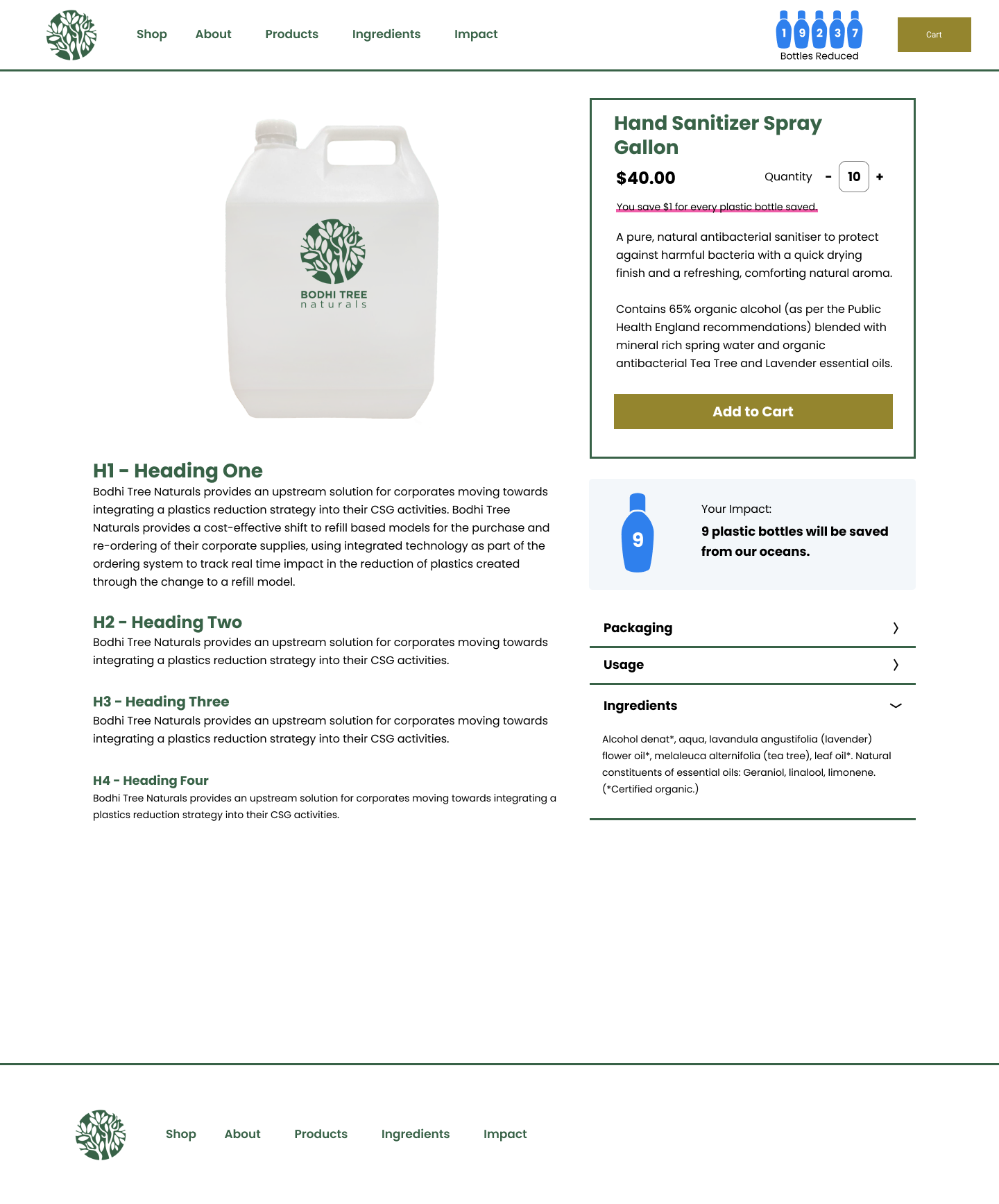
Final version of the product details page
Product Quantity Selector
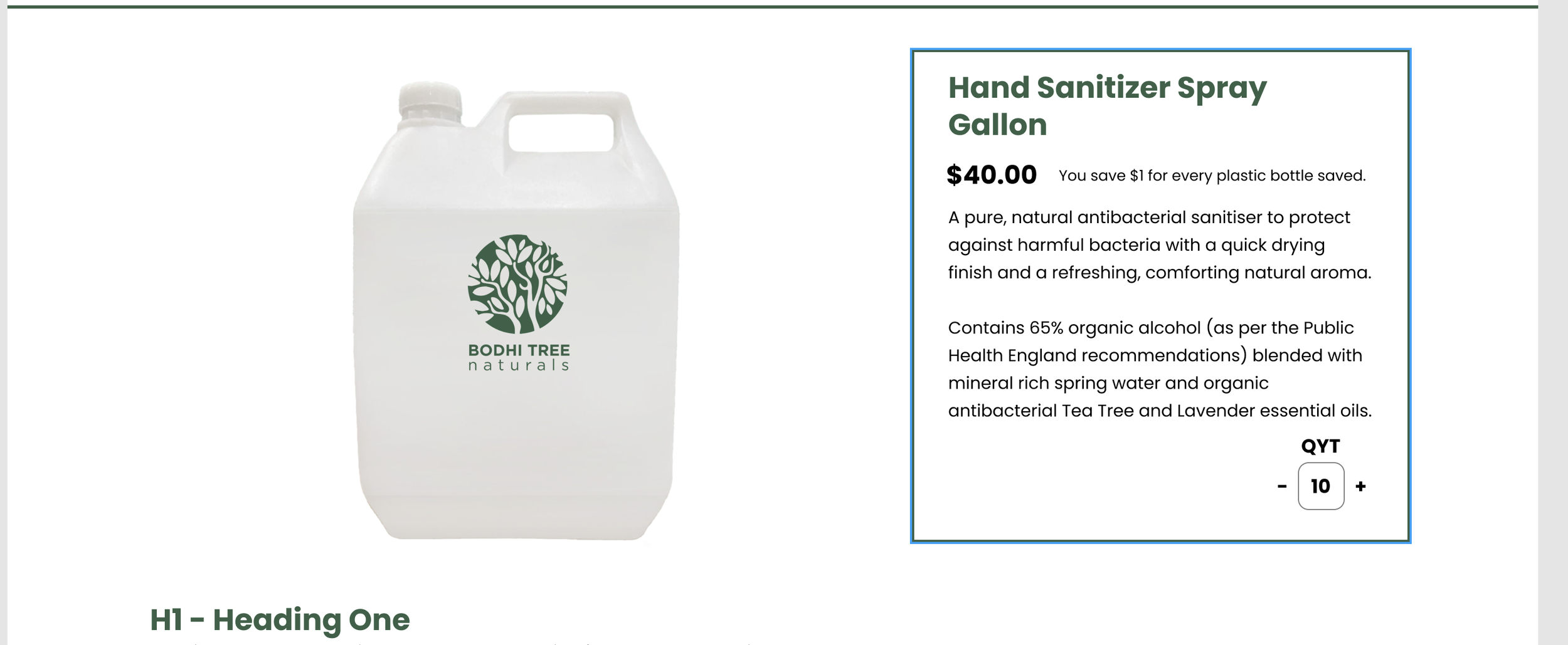
Working on where to place the quantity selector
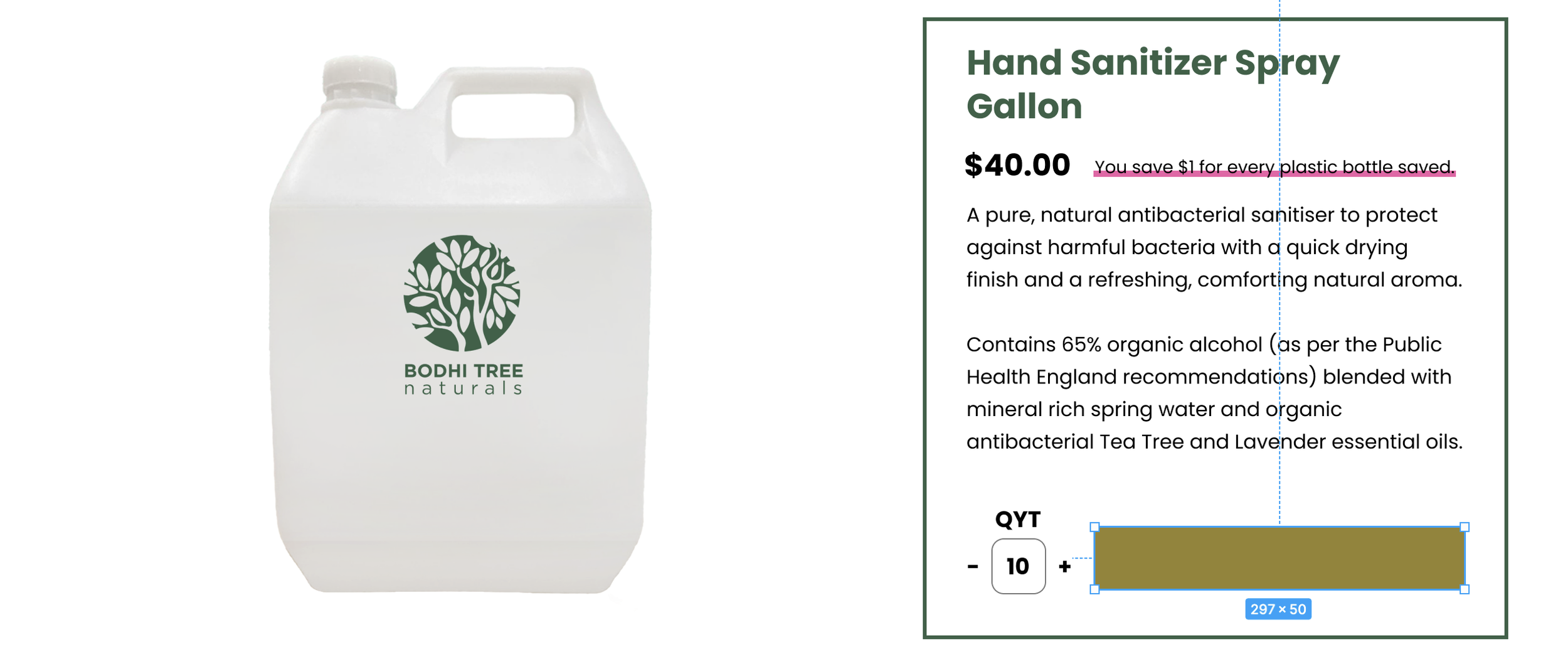
Adding the “Add to Cart” button next to the quantity selector, my thinking was by putting it next to the button it would have a stronger relationship.
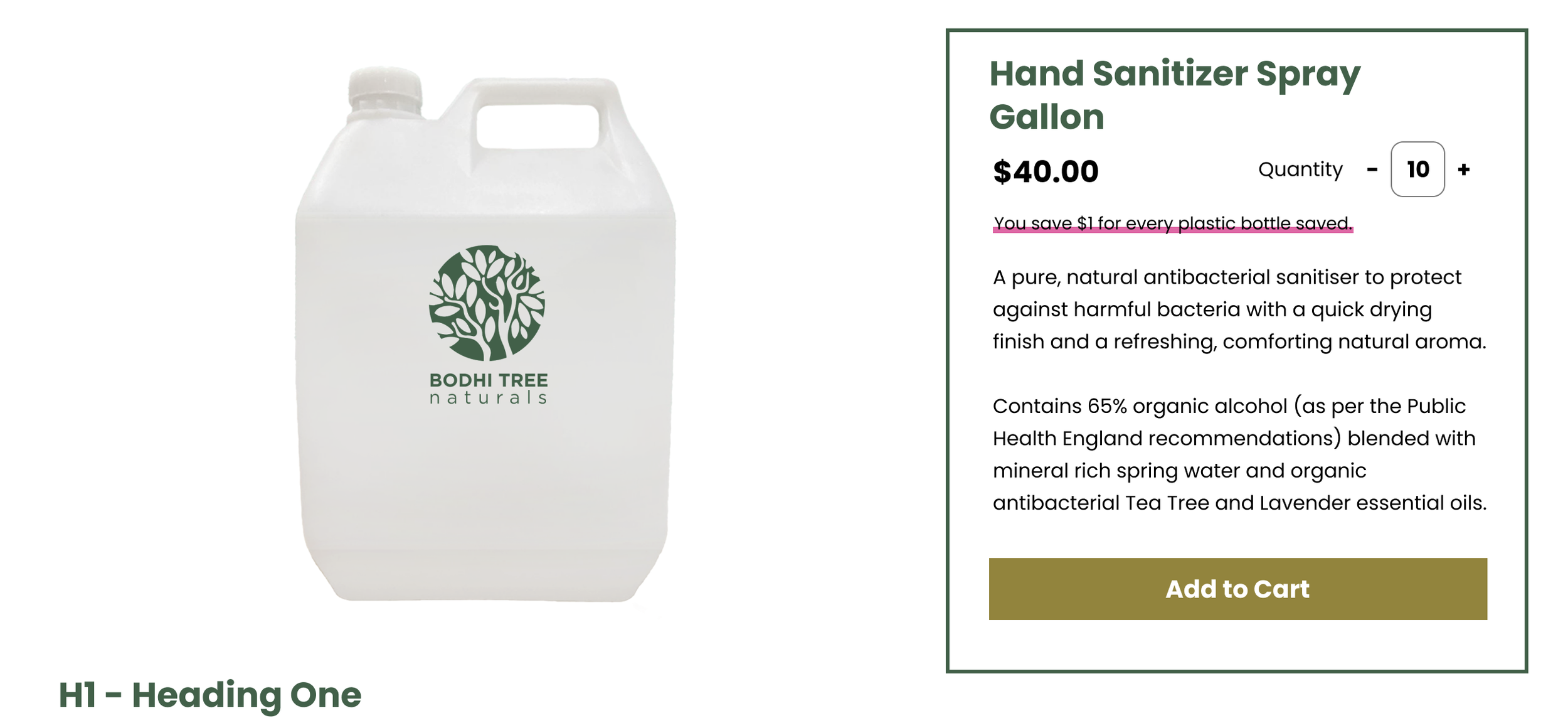
The design I ended up using, with the quantity selector next to the price.
Impact Tracker
Another area that this activity helped me focus in on was the relationship between the impact tracker and the ordering/quantity selector. Based on the wireframes, I feel like there could be a disconnect that the quantities selected are not adjusting the impact diagram. This was something I had to go through multiple revisions in Figma on the design side to see if I could build a better visual connection.
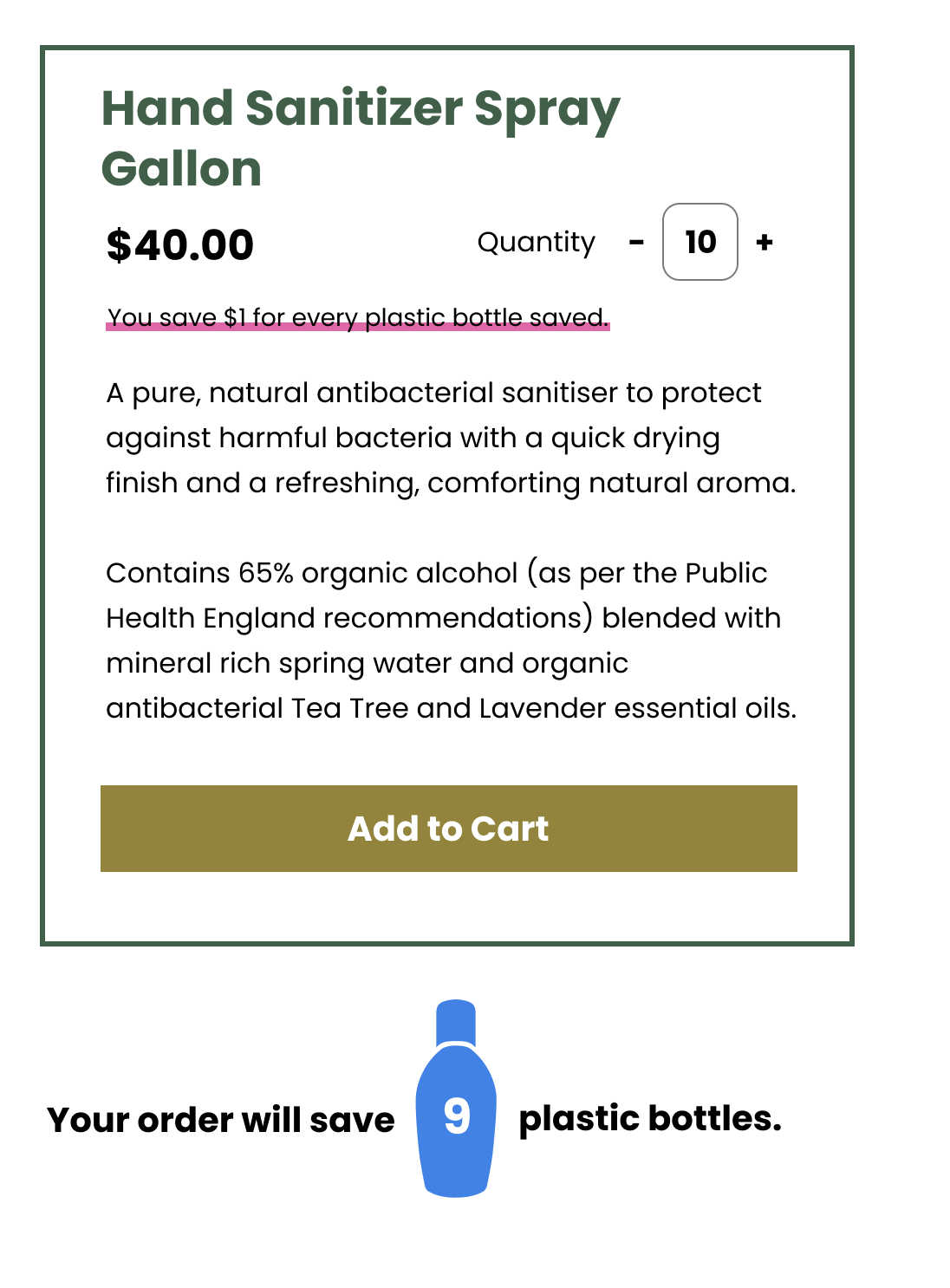
This impact tracker didn’t feel right
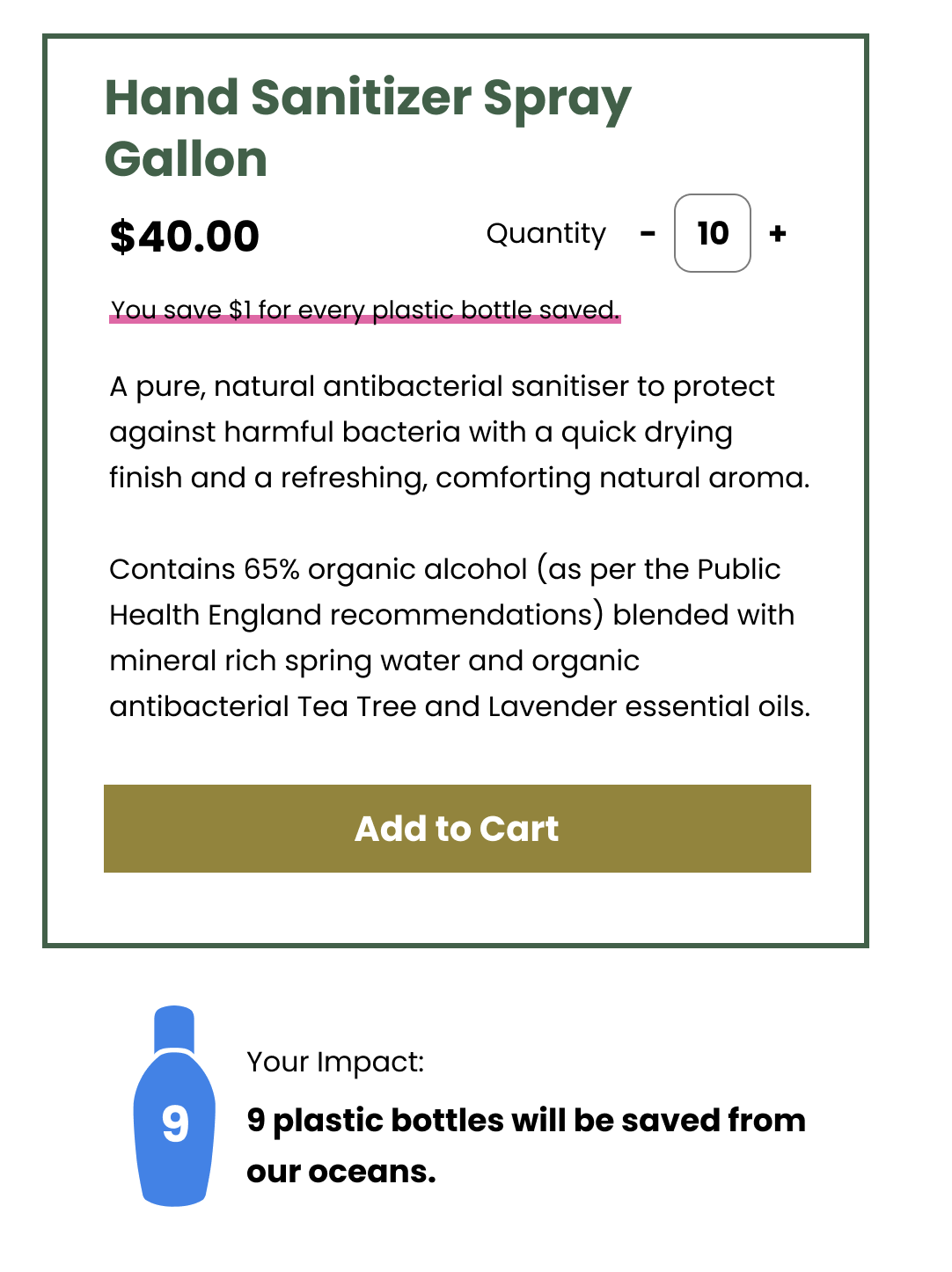
This felt better, highlights your impact, aiming for balance between the bottle and text.
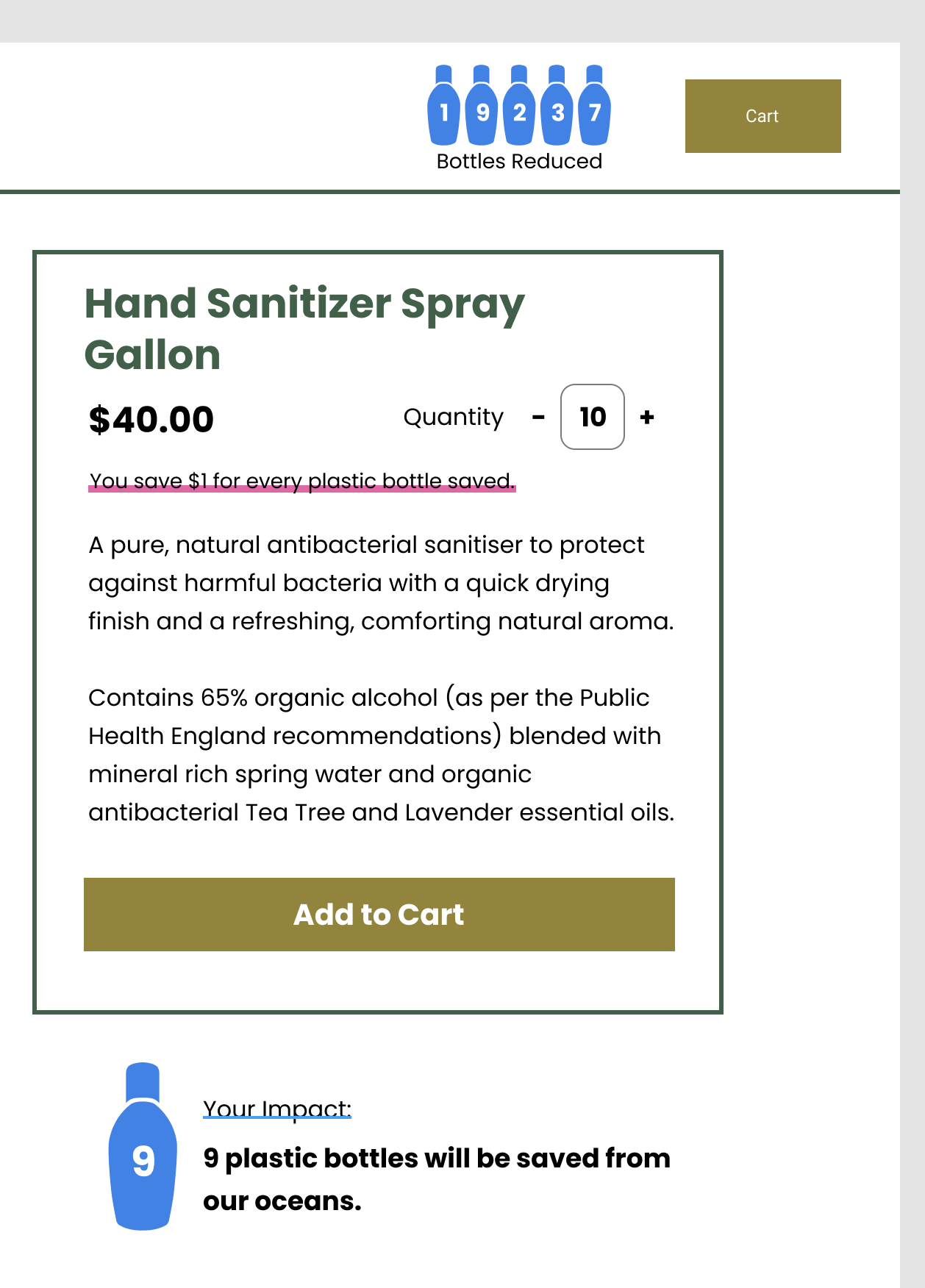
I updated the global impact tracker in the header to build a relationship between the user’s impact and the overall global impact.
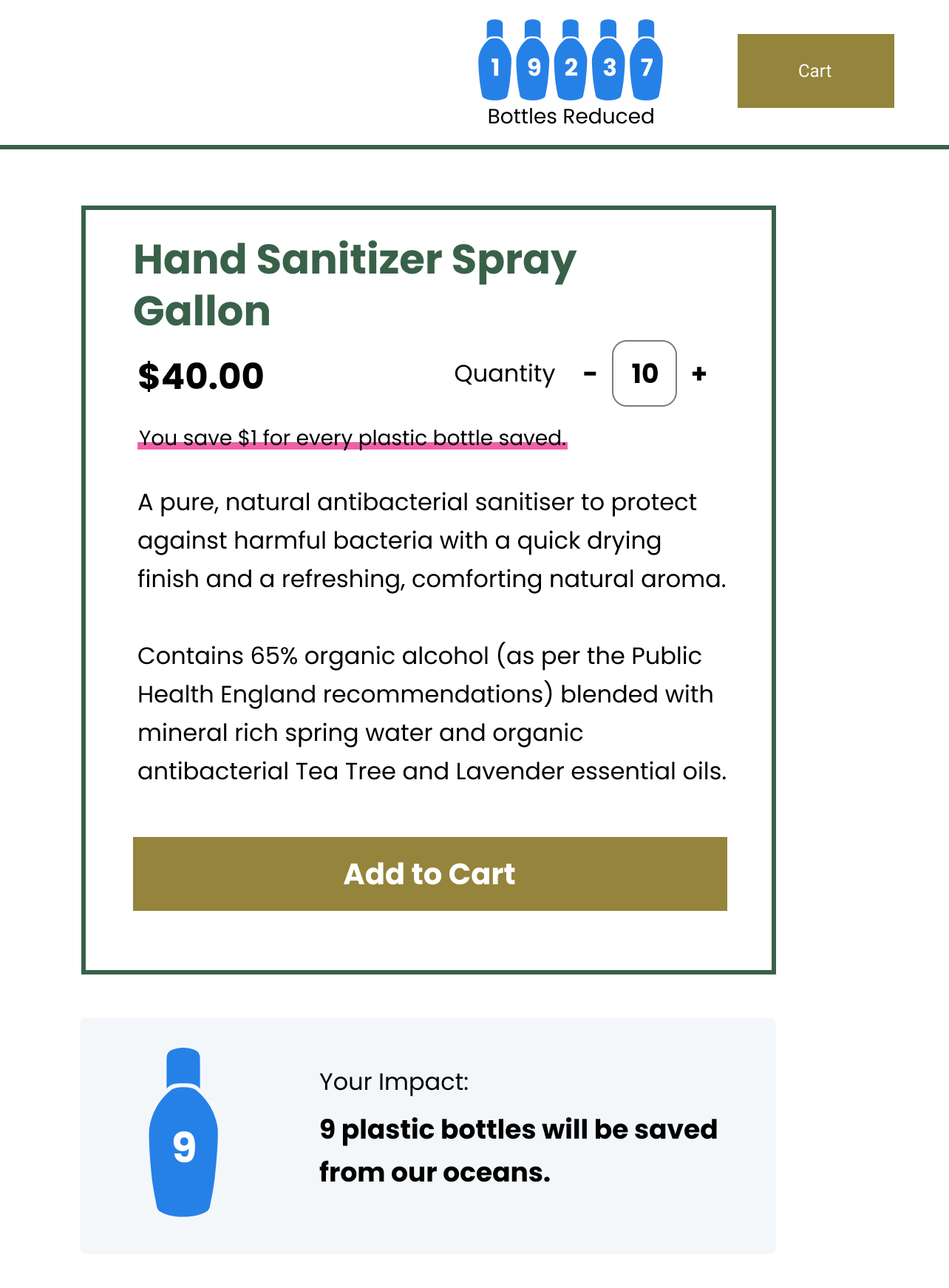
The final version, I added a light blue as the background of the impact tracker to help highlight it.
My Cart Page
The most challenging area of these wireframes has been the "Cart" section of the website. I was thinking that a slide over menu that would highlight your cart and pricing totals would be the most user friendly interaction. But what I've noticed is that finding a balance when listing all the product items out, while showing quantities and prices can be messy. It was very challenging to find a simple way to show what was in a user's cart. Additionally, showcasing pricing total information is a challenge. In the wireframes, I just show a simple grand total, but after talking with MIV, I realized that we would need to highlight VAT, product specific taxes, and related e-commerce fees. This all makes for a very complex, and busy product cart screen.
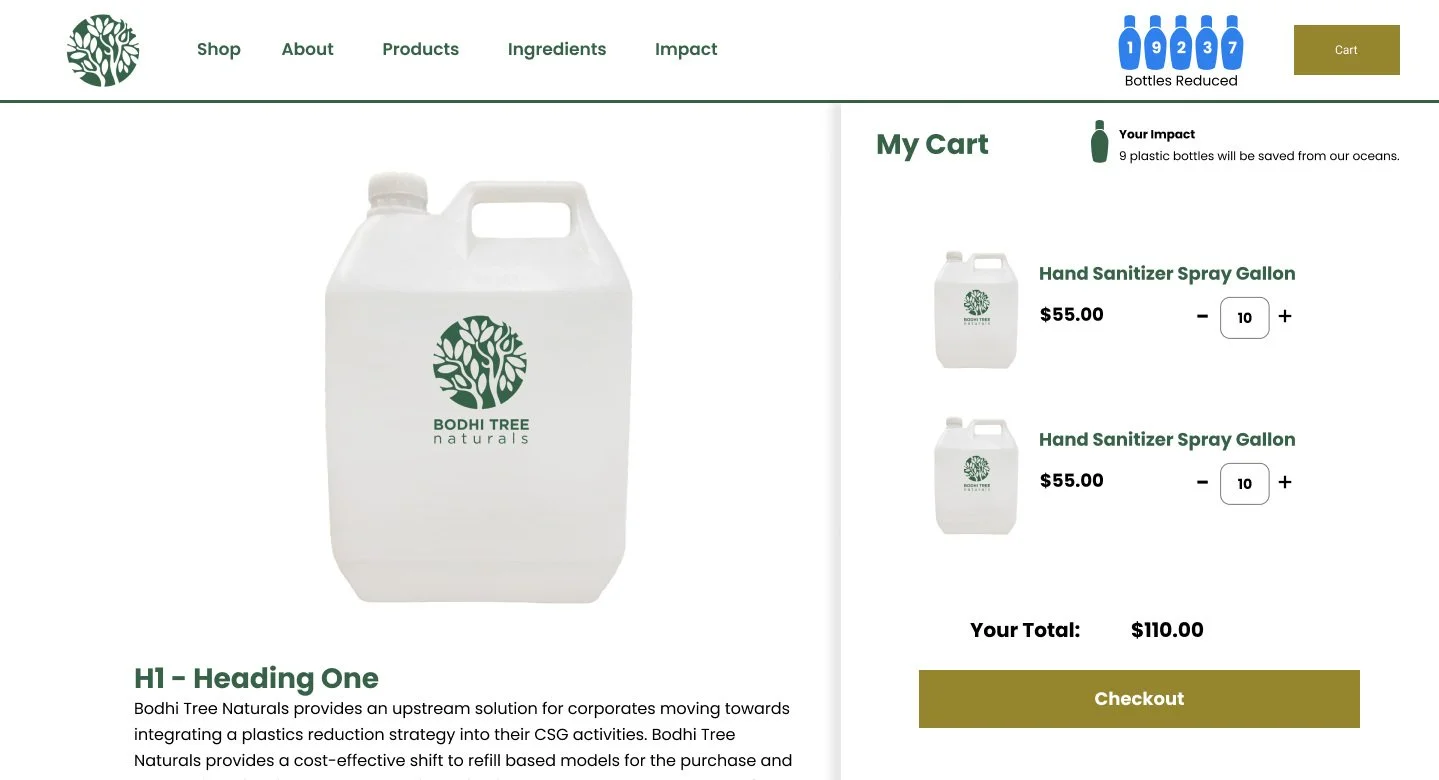
Where I’ve landed on the “My Cart” for now.
Action Items
My main focus for next week will be:
-
Finish the product catalog screen
-
Update the cart to include better pricing options/taxes
-
Update cart with impact metrics better connected to the overall global impact
-
Re-work the header navigation for more complex product offerings
References
Coolors.co. 2022. Coolors - The super fast color palettes generator!. [online] Available at: [Accessed 20 March 2022].