GDO710 - Rapid Ideation Session 2
For the second rapid ideation session, we were given two options on what we could work on, one of those being related to conservation and the environment. For the first rapid ideation I worked on a concept to educate young people on endangered species. After going through that process, I was not happy with my final output as I felt that I didn't spend enough time iterating and was stuck on my initial concept. The end result was a bit disappointing as the app ended up feeling like a Wikipedia article with nice illustrations. With that in mind I was excited about this rapid ideation session where I could revisit my past attempt and see if I could make it more applicable to the users I was intending the app to be for.
For this rapid iteration I had a few goals I wanted to achieve:
-
Implement an ideation technique that I haven't used before
-
Build a functional prototype that can be used/played
-
Use a new technology to build the prototype
Ideation Process
SCAMPER Technique
Since I decided to continue work on my previous prototype, I needed a way to re-evaluate the prototype and re-imagine what it could be. Using the SCAMPER technique allowed me to brainstorm how I can better implement my prototype animal conservation app.
Working with the SCAMPER phases is simple, but I found some of the methods a challenging within the context of my prototype. Since my initial prototype is a simple app with three screens, I had a difficult time coming up with areas in which I could substitute or combine elements in or out. I feel like this process might not be appropriate for smaller artifacts, where you might not have enough data to remediate.
Analysis
Reviewing the SCAMPER chart, I developed a few ideas on how to simply the prototype. The original prototype did not fulfill my vision for what I wanted to incorporate. In the first iteration the app became simply an information tool, it offered nothing novel that is not already available online. Additionally, the idea was for the app to be targeting children, and the app does nothing to engage children in a meaningful or fun way.
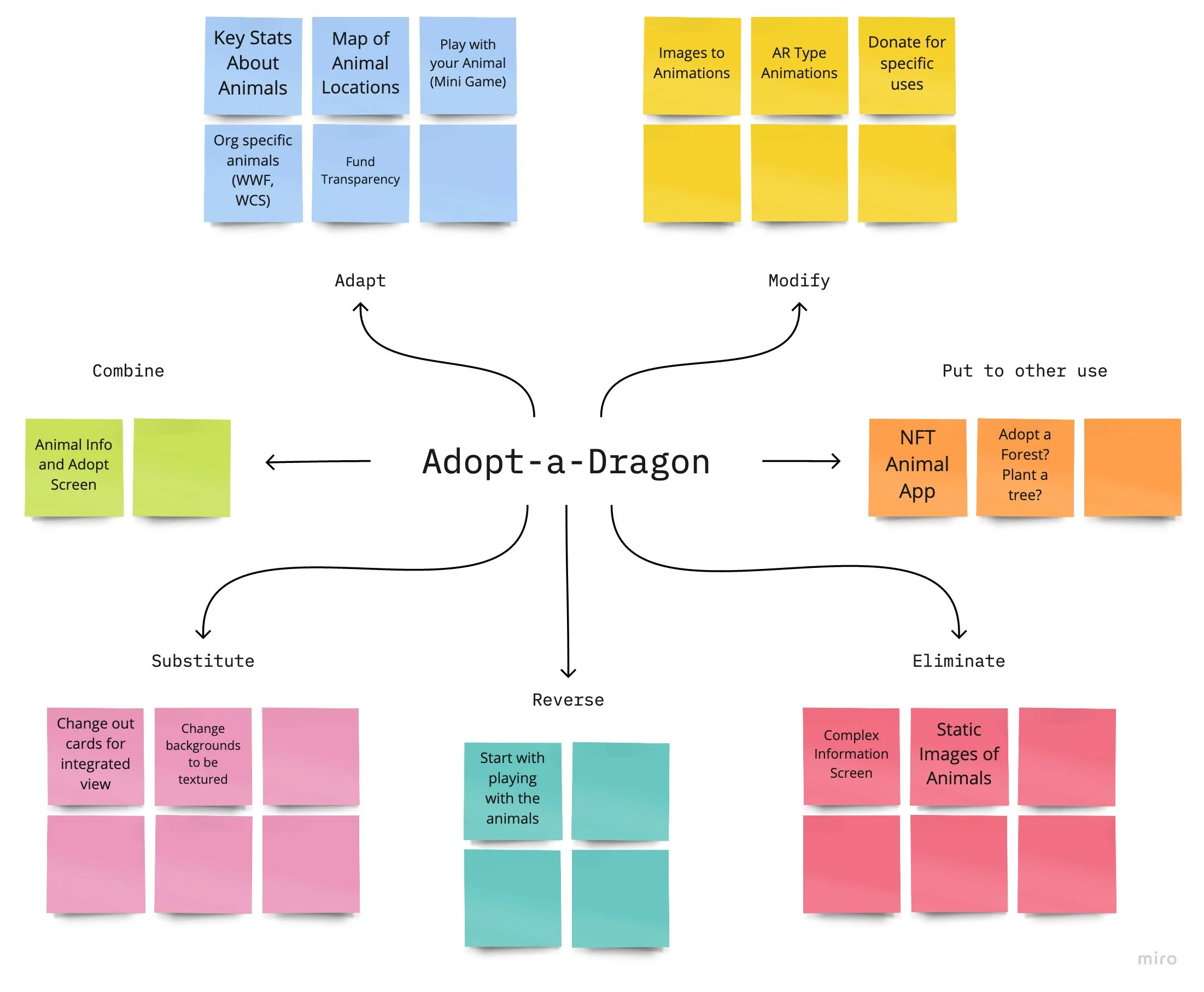
SCAMPER Board used to remediate my original prototype
In this new version I would like to remove the complex information screens, simplifying the data you see for each animal. Based on the target user, removing the static images of the animals and replacing them with simple animations would be more interactive for children.
After reviewing my SCAMPER ideation process, I felt like the best option after simplifying the information on the screen and having the primary focus on interactivity for children would be to transition this into a simple game for children. By focusing on small game, this would require a simplification of the information screens, lead to increased usage and the characters in the game would be endangered species, where you could learn about their environments, and pay to unlock new characters.
Additionally by focusing on developing a game it would force me to learn a new technology, which was one of my goals for this project. For finding the best technology tool for this prototype I needed to find something with a lower learning curve and was flexible enough for me to create a simple game in two weeks. After reviewing vairous game engines and builders, I landed on two that could work for this prototype: Buildbox Classic and Game Maker Studio 2. I have done some initial building in Game Maker Studio as the programming language it supports is closer to JavaScript, a language I use for my work. After trying the demo of Buildbox, I decided that it was the best option for this prototype. The game builder engine was easy to use to create levels and had most of the platformer logic already included out of the box. My main concern is that Buildbox does most of the foundation logic, I was concerned about the ability to implement any type of custom game mechanics that would be novel or fun.
Art Style
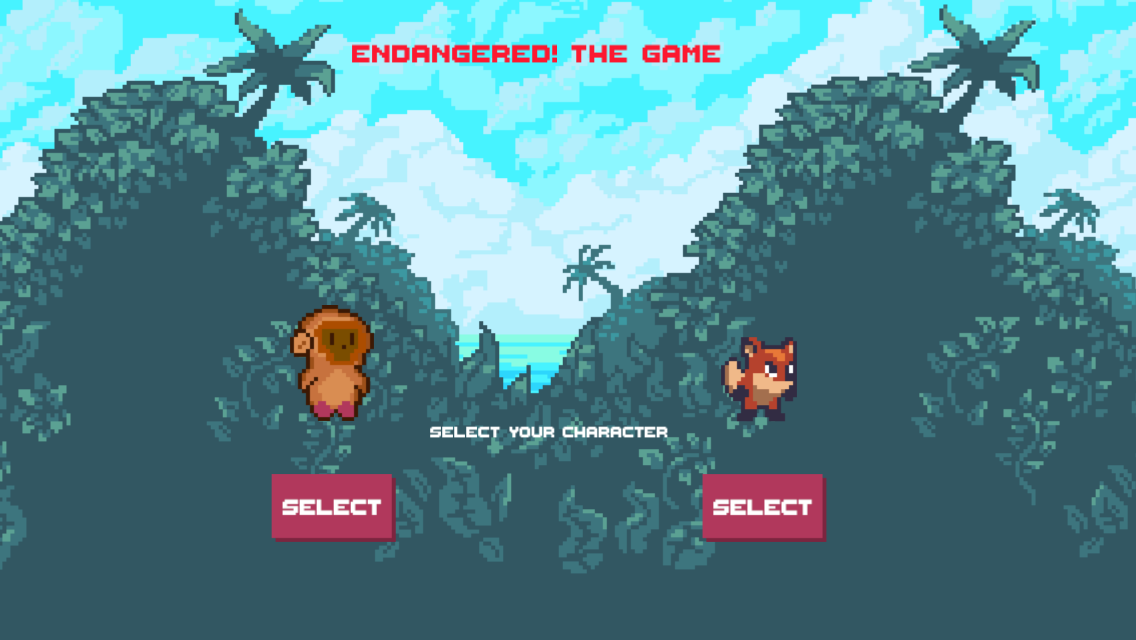
Final Game Art Style
As someone that grew up playing video games in the 1980s and 1990s, I've always loved pixel art style games. I've really enjoyed this renaissance of art style from the recent boom of indie game development over the past decade.
A helpful resource on pixel art:
I discovered an asset pack that would provide a good starting point for this project. My aim would not be to design all the assets from the start, but use something just to get a basic prototype working. I found this great asset pack from @thetoadz:
Additionally, I conducted some research on color palettes for games. I discovered LOSPEC, a simple palette builder that allowed me to define a very simple color palette for my prototype. I ended up sampling a few colors from the Sunny Land asset kit, then adding a few more for my game.
Character Research
Since I was simplifying my prototype and adding endangered species as characters I needed to conduct additional research on additional animals I could include in the game. The initial asset kit came with a fox as one of the heroes, so I wanted to make sure to use that and find a fox species I could highlight. The Sierra Nevada Red Fox was one of the species that stuck out to me in my research. With less than 40 Red Foxes left in existence, their protection is incredibly important (Sierra Nevada red fox, 2021).
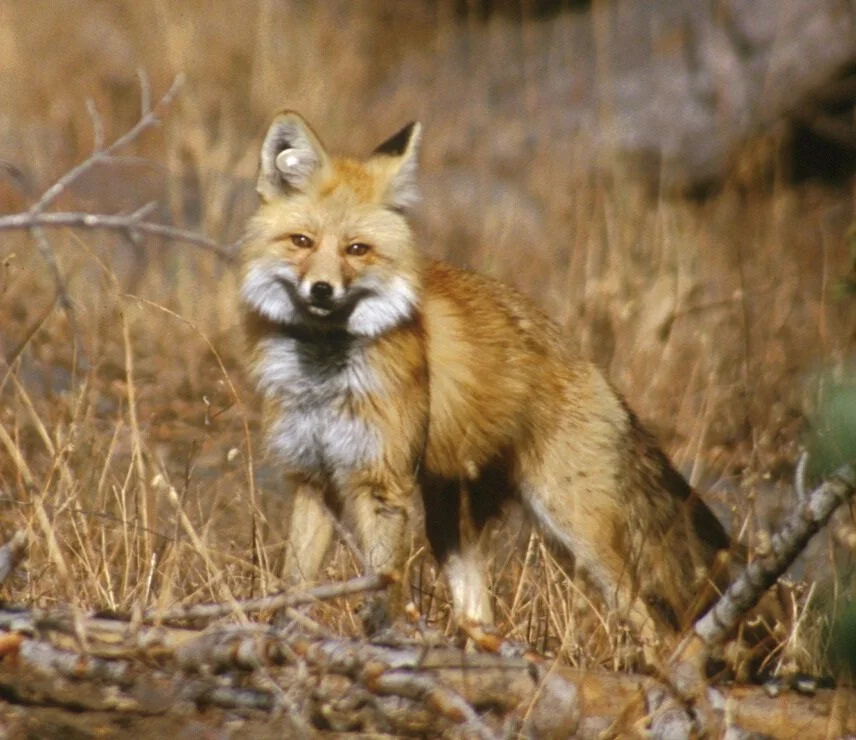
A Sierra Nevada red fox: This red fox, photographed in 2002, was part of a study in Lassen Volcanic National Park. Note the white round plastic tag in the animal’s right ear. (from:Yosemite National Park: Threatened Mammals )
Additionally, since the asset pack included jungle related items, I thought it would be good to add an additional character from where I live in Cambodia. This led me to the Red-shanked douc, a monkey with a distinct look due to their uniquely red legs. With less than 1,300 in Vietnam and an unknown amount left in Cambodia, working to protect their environment is key to conservation of the species (Red-shanked Douc: Species in World Land Trust reserves, 2021).
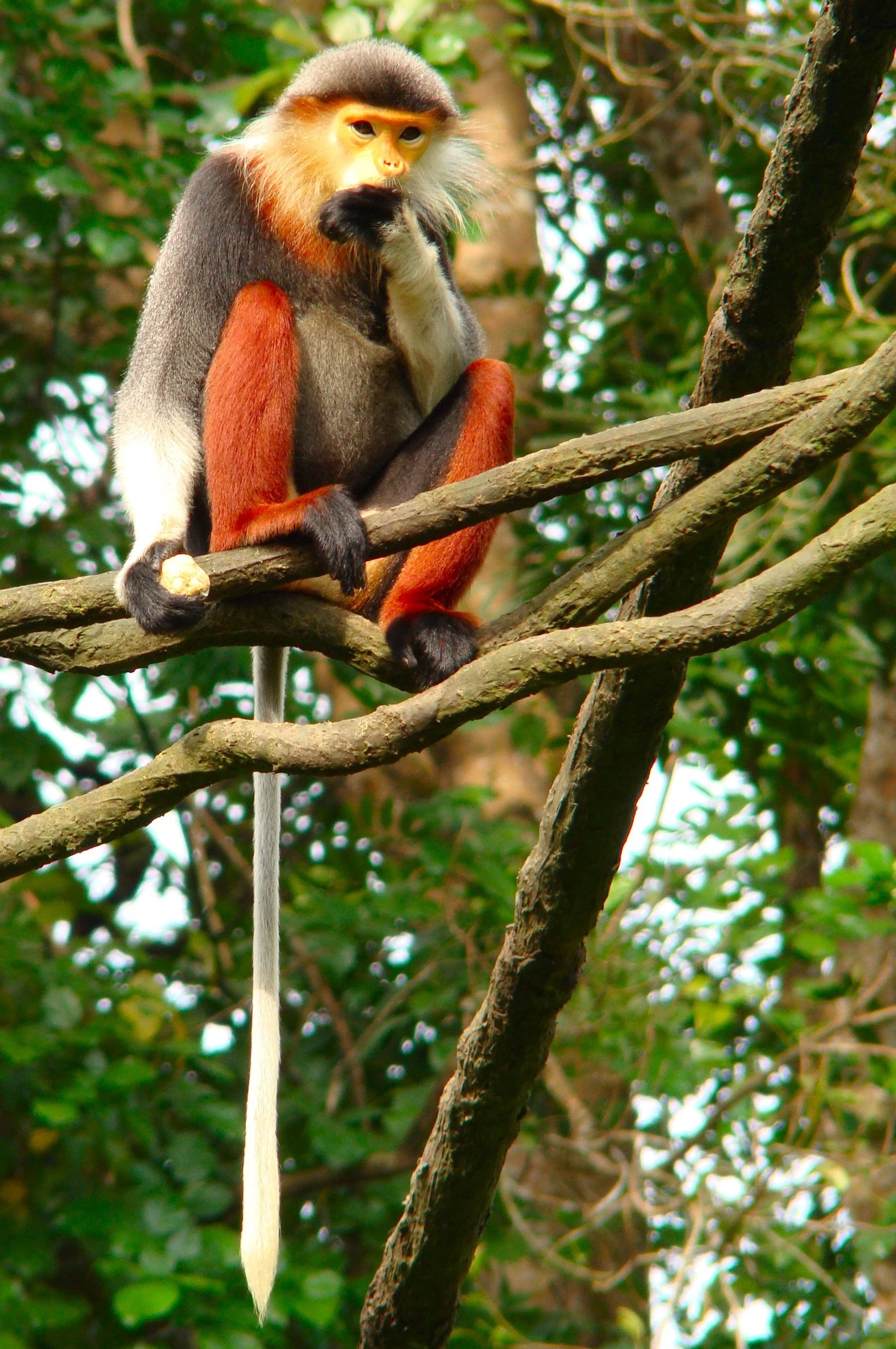
A red-shanked douc in Singapore Zoo - Photo: Bjørn Christian Tørrissen - - CC BY-SA 3.0
Design Process
I started the design process by sketching out two levels to a platformer style game. Since I didn't have a game mechanic I wanted to test, I took inspiration from the platformers I grew up playing, most notably Super Mario Bros. With Buildbox it was easy to design the levels for testing.
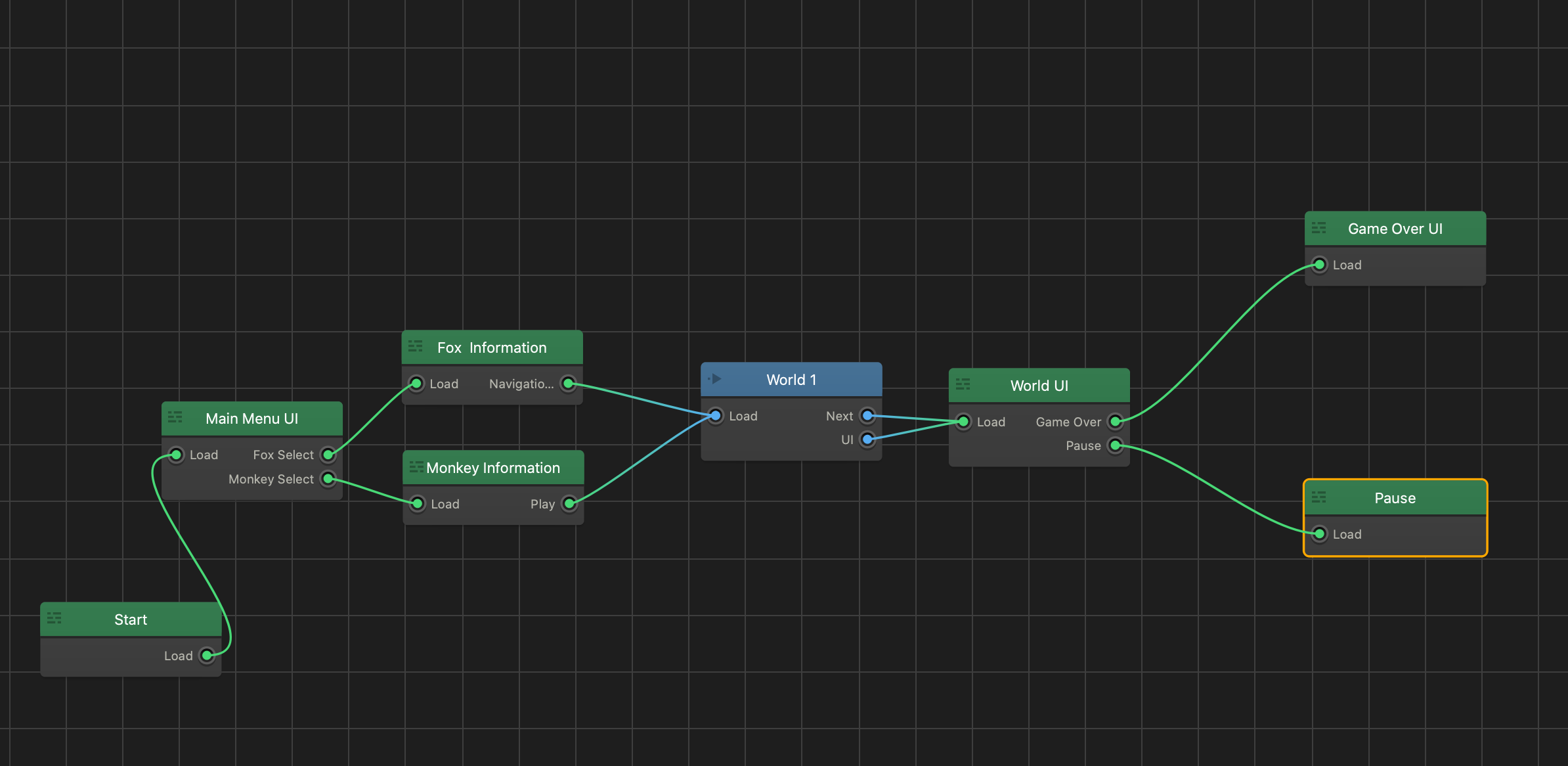
Buildbox Mind Map for Endangered the Game
The basic goal for the design of the levels was to focus on being able to bring in my custom animations and just see if I could get a workable game concept. As I stated earlier, there really wasn't a novel game mechanic to explore, but I was more interested in the concept of conservation game design.
I developed a couple of character information and selection screens to the prototype, the idea being you could buy new characters to play, with the income going to conservation groups.
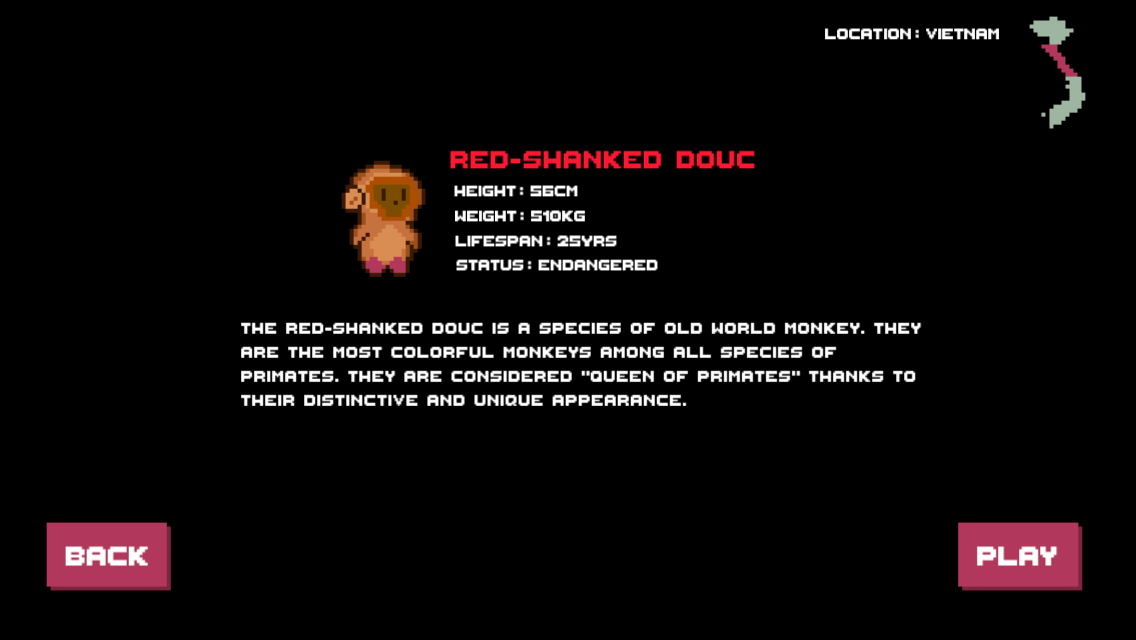
Character Information / Selection Screen
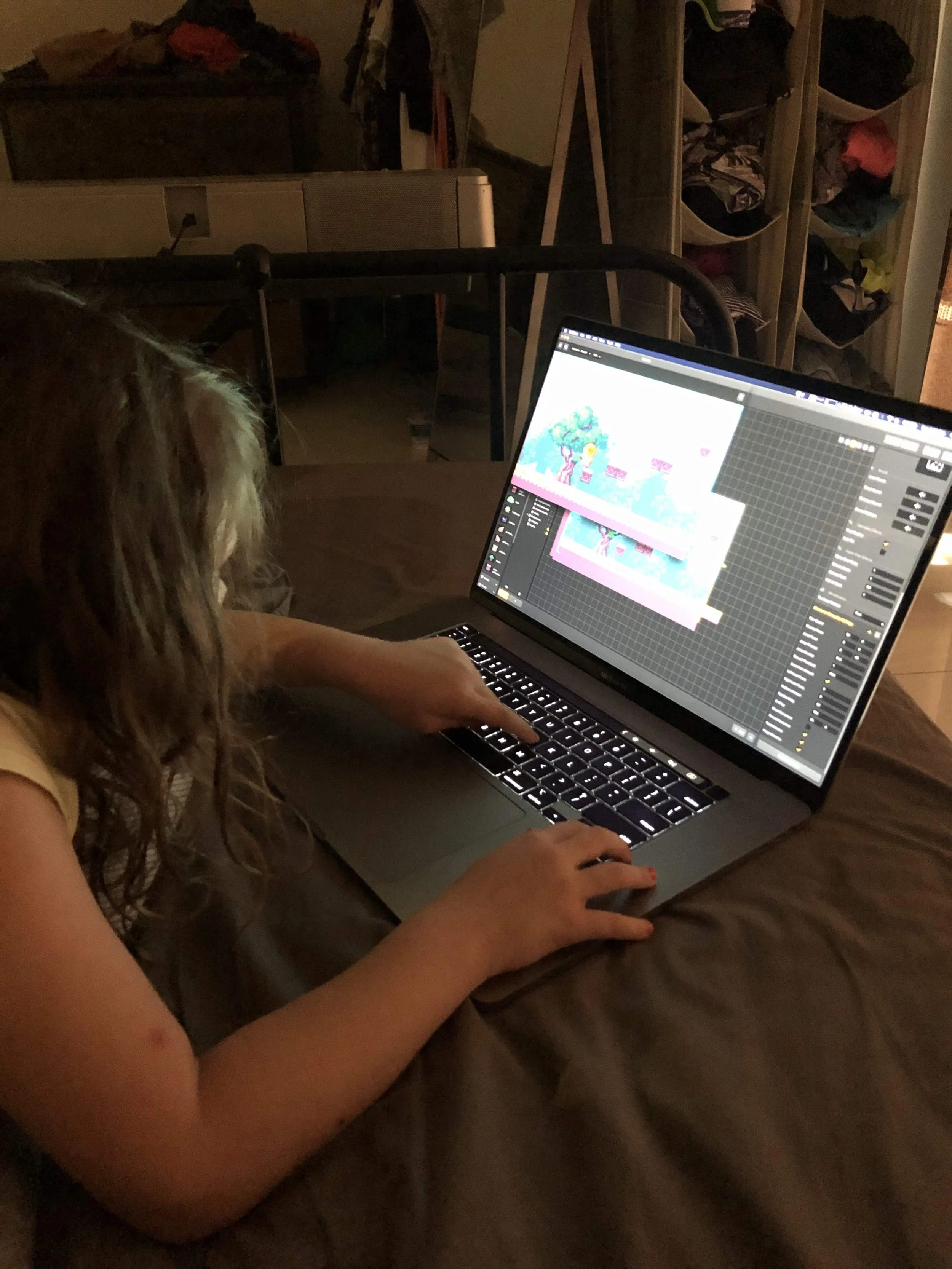
My daughter playtesting the game and finding all the bugs.
I then had my daughter playtest the game and then I made refinements to the levels. This was a fun feedback session where I could watch her get stuck on a puzzle or watch her character get stuck in a gap. This feedback loop, or playtesting, was helpful for real-world issues and understanding where my assumptions about how someone would play my app were incorrect.
Lessons Learned
There are a few major takeaways from this project:
-
Game mechanics should be the focus of the game designer Now, any real game designer would be shaking their head at this point. Interesting game mechanics are the primary work of a game designer. But this was my first effort in game design and my focus was more on learning the new tools and looking to understand an approach. In the future I would want to spend time exploring game the potential mechanics.
-
Get your prototype in the hands of users Since this prototype was focused on children, I had my daughter play test the game. The feedback and observations she provided was invaluable to my design choices. Watching her play each level allowed me to see where users could get stuck, or not understand a solution to a puzzle.
-
Choose the best tools for your prototype With the limited time and scope of just two weeks, I wanted to explore a new technology, but not have it too complex so I wouldn't be able to implement my prototype in the time given. Buildbox was a fantastic tool for a rapid prototype, out of the box it provides a few common 2D game types, where you can add in custom mechanics to playtest. With more time to learn, I could see this being a very helpful tool to rapidly prototype a new game mechanic without having to do a lot of base configuration to your levels.
References
Art, S., 2021. Sunny Land - Pixel Game Art by ansimuz. [online] itch.io. Available at: [Accessed 1 November 2021].
Biologicaldiversity.org. 2021. Sierra Nevada red fox. [online] Available at: [Accessed 1 November 2021].
Pacific Forest Trust. 2021. Sierra Nevada Red Fox - Pacific Forest Trust. [online] Available at: [Accessed 1 November 2021].
raywenderlich.com. 2021. Introduction to Pixel Art for Games. [online] Available at: [Accessed 1 November 2021].
World Land Trust. 2021. Red-shanked Douc: Species in World Land Trust reserves. [online] Available at: [Accessed 1 November 2021].